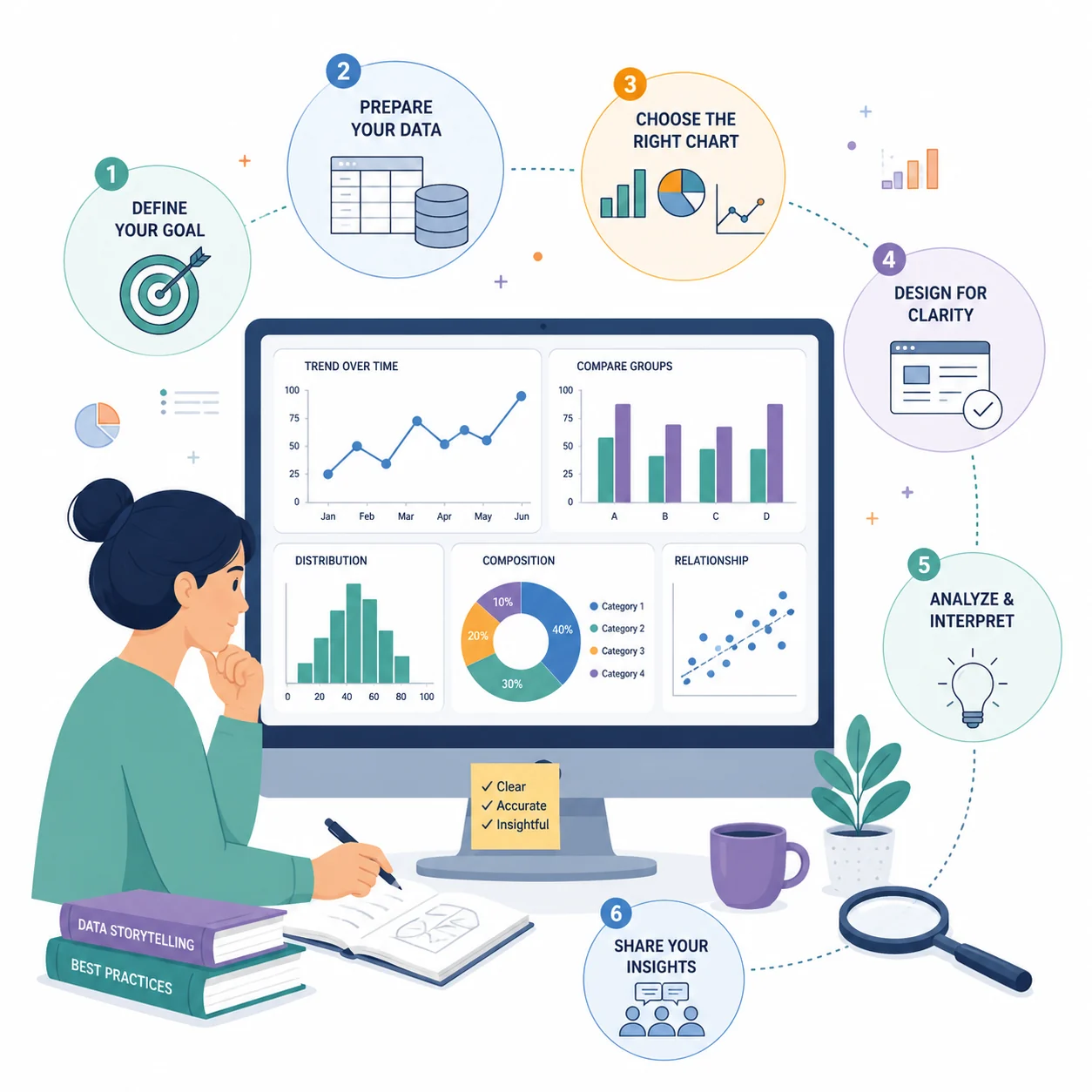
Research Data Visualization: Best Practices & Tools for Scientists (2026 Guide)
Master scientific data visualization with proven best practices. Learn to choose the right charts, use color effectively, and discover free tools for creating publication-ready figures.
A single chart can either illuminate your data or completely obscure it.
Graduate programs teach experimental design and statistical methods, yet visualization skills rarely receive the same attention. The gap shows: many published figures confuse rather than clarify, slowing the spread of important scientific findings.
This guide walks researchers through the principles, techniques, and tools needed to produce figures that communicate clearly and meet publication standards.
Why Data Visualization Matters in Research
Strong figures do more than look attractive. They shape how your work is received from peer review to public coverage:
| Impact Area | Poor Visualization | Effective Visualization |
|---|---|---|
| Comprehension | Key findings get buried in confusing layouts | Readers grasp the main result within seconds |
| Credibility | Sloppy figures raise doubts about rigor | Clean, precise figures signal careful methodology |
| Citations | Work gets skipped over in literature searches | Shareable figures drive discovery and citation |
| Review Process | Reviewers request extensive revisions | Figures accelerate the path to acceptance |
| Public Impact | Research remains confined to specialist audiences | Clear visuals help findings reach the broader public |

A carefully crafted ROC curve conveys model performance at a glance, translating complex statistical output into something immediately readable
The Foundation: Define Your Purpose First
According to Simplified Science Publishing, the single most important step is establishing the purpose of each figure before opening any software. Scientific visualizations generally fall into four categories:
- Illustrating a process or method
- Comparing groups or conditions
- Tracking change across time
- Revealing relationships between variables
Choosing the wrong chart type for your purpose is the root cause of most visualization failures.
The Data Purpose Framework
| Purpose | Best Chart Types | Example Use Case |
|---|---|---|
| Illustrate process | Flowcharts, diagrams, Sankey diagrams, timelines | Depicting experimental workflow |
| Compare groups | Bar charts, box plots, grouped charts, bullet charts | Treatment versus control outcomes |
| Track change | Line charts, area charts, slope graphs | Longitudinal cohort results |
| Reveal relationships | Scatter plots, heat maps, network diagrams, chord diagrams | Correlating two measured variables |
Choosing the Right Chart Type
For Categorical Comparisons
Bar charts are the default in many fields, but they hide distributional information. The Johns Hopkins Data Visualization Guide recommends considering alternatives that show more of your data:
- Box plots: Reveal spread, median, and outliers simultaneously
- Scatter plots: Display individual observations along with clusters and gaps
- Violin plots: Combine distributional density with standard box plot summaries

Signaling pathways involve multiple interacting components: thoughtful visualization choices are essential for communicating those relationships without creating visual overload
For Time Series Data
| Chart Type | Best For | Avoid When |
|---|---|---|
| Line chart | Continuous trends with a small number of series | More than 5 to 7 lines crowd the space |
| Area chart | Cumulative or part-to-whole patterns over time | Overlapping areas obscure individual values |
| Slope graph | Comparing many categories across exactly two time points | There are more than two time points |
| Sparklines | Compact inline trend indicators inside tables | Precise values need to be read off the chart |
For Distributions
- Histogram: Visualize the spread of a single variable
- Density plot: A smoother alternative to the histogram
- Box plot: Compare distributions across multiple groups compactly
- Violin plot: Show distributional shape alongside central tendency and spread
For Relationships
- Scatter plot: Explore two continuous variables
- Bubble chart: Encode a third variable through point size
- Heat map: Display values across a two-dimensional matrix
- Network diagram: Map connections between entities or nodes
The Seven Principles of Effective Visualization
The Michigan State University Library Guide outlines seven qualities that separate effective scientific figures from ineffective ones.
1. Usefulness
A figure must serve its audience. A figure intended for journal reviewers will differ substantially from one designed for a poster session or a press release.
Questions to ask:
- Who will read this figure?
- What action or understanding should it produce?
- What level of technical familiarity can I assume?
2. Completeness
Include every element that aids interpretation, and cut anything that does not.
Essential elements:
- A title that states the finding, not just the topic
- Axis labels with measurement units
- A legend when multiple series appear
- Sample size information
- Markers for statistical significance
Elements that often add clutter:
- Dense gridlines (use minimally or not at all)
- Decorative borders or illustrations
- Three-dimensional rendering effects
- Excessive decimal precision on axis labels
3. Perceptibility
The George Washington University Guide draws an important distinction between two modes of visualization:
- Exploratory visualizations: Produced during your own analysis to spot patterns
- Explanatory visualizations: Designed to communicate findings to an audience
Publication figures belong in the explanatory category. Readers should not need prior knowledge of your dataset to extract the key message.
4. Truthfulness
Accurate representation of data is non-negotiable. Common distortions researchers should actively avoid:
| Distortion | Why It Misleads | Correct Approach |
|---|---|---|
| Truncated y-axis | Artificially inflates apparent differences | Start bar chart axes at zero |
| Narrow time window | Removes context that might complicate the story | Show the full relevant range |
| Inconsistent scales across panels | Makes comparisons invalid | Standardize scales when comparing |
| Three-dimensional effects | Warps perceived proportions | Use two-dimensional forms |
5. Intuitiveness
Readers arrive with conventions already in place. Work with those expectations rather than against them:
- Time progresses from left to right
- Larger values correspond to larger visual elements
- Red signals caution or negative outcomes; green signals positive (with colorblindness caveats)
- Upward movement indicates increase
6. Aesthetics
Visual quality reflects the quality of the underlying work. Figures that are clean and well-organized convey that the research was conducted with similar care.
Practical design steps:
- Maintain a consistent color palette across all figures in a paper
- Give elements room to breathe with adequate white space
- Align labels, legends, and axes precisely
- Select readable typefaces (see our font guide)
7. Engagement
The strongest figures guide the reader's attention to the central finding. They function less like raw data displays and more like evidence-backed arguments.
Using Color Effectively
The University at Buffalo Data Visualization Guide emphasizes that color is one of the most powerful and most abused tools in scientific visualization.
Color Best Practices
1. Encode information, not decoration
Each color in a figure should represent a distinct category or data dimension. Using color purely for visual variety confuses rather than informs.
2. Account for colorblindness
Roughly 1 in 12 men and 1 in 200 women experience some form of color vision deficiency. Resources for building accessible palettes:
- ColorBrewer: Scientifically tested, colorblind-safe palettes
- Viz Palette: Interactive tool for testing palette accessibility
- Color Safe: WCAG-compliant color combination generator
3. Verify grayscale readability
Many journals still print in black and white. Confirm your figures remain interpretable when color is removed.
4. Constrain your palette
Three to five colors is the practical maximum. Beyond that, distinguishing series becomes difficult and the figure looks cluttered.
For detailed guidance, see our scientific color palette guide.

In this enzyme mechanism diagram, color differentiates the substrate, enzyme, and products without creating accessibility barriers for colorblind readers
Eliminating Chartjunk
Edward Tufte introduced the concept of "chartjunk" to describe visual elements that consume space without contributing to comprehension. Removing them almost always improves a figure:
| Element | Why It Harms Readability | What to Use Instead |
|---|---|---|
| Three-dimensional effects | Distorts proportions and introduces ambiguity | Flat, two-dimensional forms |
| Dense gridlines | Competes visually with the data itself | Light, sparse gridlines or none |
| Decorative illustrations | Draws attention away from the data | Let the data be the visual focus |
| Gradient fills | Makes precise value reading harder | Flat, solid fills |
| Heavy borders | Adds visual weight without meaning | No border, or a fine hairline |
| Redundant labels | Repeats information the reader already has | Label once and clearly |
The Data-Ink Ratio
Tufte's data-ink ratio captures this idea quantitatively: the proportion of a figure's visual elements that directly encode data should be maximized. Non-data ink should be minimized.
Before: Dense gridlines, extruded bars, gradient fills, thick decorative frame After: Flat bars, minimal axis lines, clear labels, generous white space
Journal Requirements and Specifications
Checking your target journal's figure requirements before starting production saves substantial rework.
Figure Dimensions
| Journal | Single Column | Double Column |
|---|---|---|
| Nature | 89 mm | 183 mm |
| Science | 55 mm | 230 mm |
| Cell | 85 mm | 174 mm |
| PLOS ONE | 83 mm | 173 mm |
Resolution Requirements
- Line art: 1000 to 1200 DPI
- Photographs and halftones: 300 DPI minimum
- Combination figures: 500 to 600 DPI
File Formats
Accepted formats vary by journal, but common options include:
- TIFF: Preferred format for final submission at most journals
- EPS: Suitable for vector graphics
- PDF: Accepted at some journals for vector artwork
- PNG: Appropriate for web-only versions
For a detailed breakdown of journal figure requirements, see our guide on making figures for Nature, Science, and Cell.
Free Tools for Research Data Visualization
General-Purpose Tools
| Tool | Best For | Learning Curve | Link |
|---|---|---|---|
| RAWGraphs | Uncommon chart types from uploaded data | Low | rawgraphs.io |
| Flourish | Narrative and interactive visualizations | Low | flourish.studio |
| Datawrapper | Fast, polished charts and maps | Low | datawrapper.de |
| Tableau Public | Complex dashboards from large datasets | Medium | public.tableau.com |
| Google Charts | Charts embedded in web pages | Medium | developers.google.com/chart |
Statistical and Scientific Tools
| Tool | Best For | Learning Curve | Link |
|---|---|---|---|
| GraphPad Prism | Life science data and statistical output | Medium | graphpad.com |
| R with ggplot2 | Fully customized, publication-ready figures | High | ggplot2.tidyverse.org |
| Python with Matplotlib or Seaborn | Reproducible, scripted visualizations | High | matplotlib.org |
| JASP | Statistical analysis with built-in visualization | Low | jasp-stats.org |
Network and Specialized Tools
| Tool | Best For | Learning Curve | Link |
|---|---|---|---|
| Gephi | General network visualization and analysis | Medium | gephi.org |
| VOSviewer | Bibliometric and citation network maps | Low | vosviewer.com |
| Cytoscape | Biological network diagrams | Medium | cytoscape.org |
| Figviz | AI-generated scientific diagrams from text | Low | figviz.com |
Data Preparation
| Tool | Purpose | Link |
|---|---|---|
| OpenRefine | Cleaning and normalizing messy datasets | openrefine.org |
| Trifacta Wrangler | Transforming and reshaping data | trifacta.com |
Step-by-Step: Creating Publication-Ready Figures
Step 1: Plan Your Figure
Decisions made before opening software determine whether the figure succeeds:
- Clarify the message: What should readers understand after seeing this figure?
- Select a chart type: Match it to your data purpose
- Sketch a rough layout: A quick pencil sketch surfaces layout issues early
- Review journal specifications: Dimensions, file format, and color requirements
Step 2: Prepare Your Data
- Clean raw data and handle missing values
- Compute necessary summary statistics
- Flag and document outliers
- Structure data in the format your tool expects
Step 3: Build the Initial Draft
- Accept the tool's defaults to get the data displayed quickly
- Prioritize accuracy at this stage over aesthetics
- Confirm all values are represented correctly before styling
Step 4: Refine the Design
Work through the best practices covered above:
- Strip out chartjunk
- Write precise axis labels and a clear title
- Apply an accessible color palette
- Check contrast between all visual elements
Step 5: Add Contextual Information
- Write a title that states the finding rather than just describing the data
- Label both axes with units of measurement
- Add a legend if multiple series or groups are present
- Annotate statistical test results where relevant
Step 6: Export and Verify
- Export at the resolution your journal requires
- Review the figure at actual print dimensions
- Convert to grayscale and confirm it remains legible
- Open the file on multiple screens to catch rendering issues
Multi-Panel Figures
When a study involves multiple related findings, combining them into a single multi-panel figure is often preferable to submitting several separate figures.
Layout Principles
- Uniform panel sizing: Comparable data should appear in comparable panels
- Consistent label placement: Panel labels (A, B, C) should appear in the same corner of every panel
- Logical reading order: Arrange panels so readers move left to right, top to bottom
- Shared legends: When color coding is consistent across panels, a single legend is cleaner
Panel Labels
| Style | Example | Common Usage |
|---|---|---|
| Bold capital | A, B, C | Standard across most journals |
| Lowercase | a, b, c | Some biology and ecology journals |
| Parenthetical | (A), (B), (C) | Used in select style guides |
Alignment
- Line up axes across panels wherever direct comparison is intended
- Apply matching scales when differences in magnitude are part of the comparison
- Keep color coding consistent so readers do not relearn the legend for each panel
Common Mistakes and How to Fix Them
Mistake 1: Mismatched Chart Type and Data
Problem: Using a pie chart to display change over time Fix: Align chart type with data structure (use a line chart for temporal trends)
Mistake 2: Overloaded Figures
Problem: One figure attempting to convey too many independent findings Fix: Divide into separate panels or split into multiple figures
Mistake 3: Absent Error Bars
Problem: Summary bars or points with no indication of variability Fix: Report standard deviation, standard error, or confidence intervals consistently
Mistake 4: Inconsistent Style Across Figures
Problem: Different fonts, palettes, and element sizes across figures in the same paper Fix: Define a style template at the outset and apply it uniformly
Mistake 5: Insufficient Resolution
Problem: Figures appear pixelated or blurry in the final published version Fix: Set output resolution to match journal requirements from the beginning, not as an afterthought

Medical diagrams demand both anatomical accuracy and precise labeling: every element placement carries clinical meaning
Frequently Asked Questions
What is the best free tool for creating scientific figures?
The right tool depends on your workflow and comfort level. Datawrapper and Flourish are browser-based options that produce clean charts quickly with no coding required. GraphPad Prism has a free trial and is widely used in the life sciences. R with ggplot2 and Python with Matplotlib are fully free, produce publication-quality output, and offer maximum flexibility, though they involve a learning curve. Figviz lets you generate scientific diagrams from text descriptions, making it useful for conceptual and process figures.
What resolution should scientific figures be?
Resolution requirements vary by figure type. Photographs and halftones typically require 300 DPI minimum. Combination figures, which mix photos with line art or text, usually need 500 to 600 DPI. Pure line art and diagrams generally require 1000 to 1200 DPI. Always verify with your target journal before exporting. Trying to upscale a low-resolution figure after the fact produces poor results, so set the correct resolution from the start.
How do I make my figures colorblind-accessible?
Start by selecting palettes from a tool like ColorBrewer, which offers colorblind-safe presets. Avoid pairing red and green, which is the combination most likely to cause problems. Whenever possible, use shape, pattern, or direct labeling in addition to color so that color is not the only distinguishing attribute. After completing your figure, convert it to grayscale and verify that all groups or series remain distinguishable.
Should I use bar charts or scatter plots?
For continuous data, scatter plots are generally the stronger choice because they reveal individual data points, sample size, distribution shape, and outliers, none of which bar charts show. Bar charts suit categorical comparisons and cases where a summary statistic such as a mean is the primary message. A growing number of journals explicitly require showing individual data points rather than bars with error bars alone.
How many figures should a research paper have?
Most journals allow between six and eight figures for a full research article, but the right number depends on your data and the journal's guidelines. Prioritize quality over quantity: each figure should communicate a distinct, clearly defined finding. Group related results into multi-panel figures where logical. Data that supports but does not anchor the narrative often belongs in supplementary materials.
What is the difference between exploratory and explanatory visualizations?
Exploratory visualizations are working documents you create during data analysis to uncover patterns, check assumptions, and generate hypotheses. Speed matters more than polish at this stage. Explanatory visualizations are crafted to communicate specific findings to an external audience, whether reviewers, conference attendees, or the public. They should guide the reader directly to the key result with minimal effort on the reader's part. All figures destined for publication should be explanatory.
How do I choose colors for my figures?
Begin with a palette of three to five colors and resist the urge to expand it. Use established resources like ColorBrewer for palettes that have been tested for scientific readability. Verify that adjacent colors have sufficient contrast. Reserve color for encoding data or directing attention to a key result, not for aesthetic decoration. Check your palette under colorblind simulation and in grayscale before finalizing.
Can I use Excel for publication figures?
Excel is a reasonable tool for exploratory drafts and quick summaries, but it has real limitations for publication work. It offers limited control over visual styling, exports at lower resolution than most journals require, and its defaults tend toward poor design choices like gridlines and gradients. For final submission figures, tools such as R, Python, GraphPad Prism, or a dedicated visualization application will give you substantially more control over the output.
Conclusion
Learning to visualize data well is one of the highest-leverage skills a researcher can develop. Solid figures speed up peer review, improve comprehension, and extend the reach of your findings.
To summarize the core principles covered here:
- Clarify your purpose before selecting a chart type
- Match the visualization form to your data structure and the message you want to convey
- Apply design discipline: remove chartjunk, use color purposefully, and keep layouts clean
- Build in accessibility: colorblind-safe palettes, grayscale compatibility, and sufficient contrast
- Meet technical specifications: resolution, dimensions, and file formats required by your journal
- Structure for understanding: guide readers toward your central finding with deliberate visual hierarchy
The most successful figure is not the most elaborate one. It is the one that communicates a result clearly and leaves the reader with no ambiguity about what you found.
Additional Resources
- Johns Hopkins Data Visualization Guide
- George Washington University DataViz Best Practices
- PLOS Computational Biology: Ten Simple Rules for Better Figures
- How to Make Figures for Nature, Science, Cell
- Scientific Color Palette Guide
- Best Fonts for Scientific Figures
- How to Create a Graphical Abstract
Ready to create professional research visualizations? Try Figviz to generate scientific diagrams from simple text descriptions.
Author


